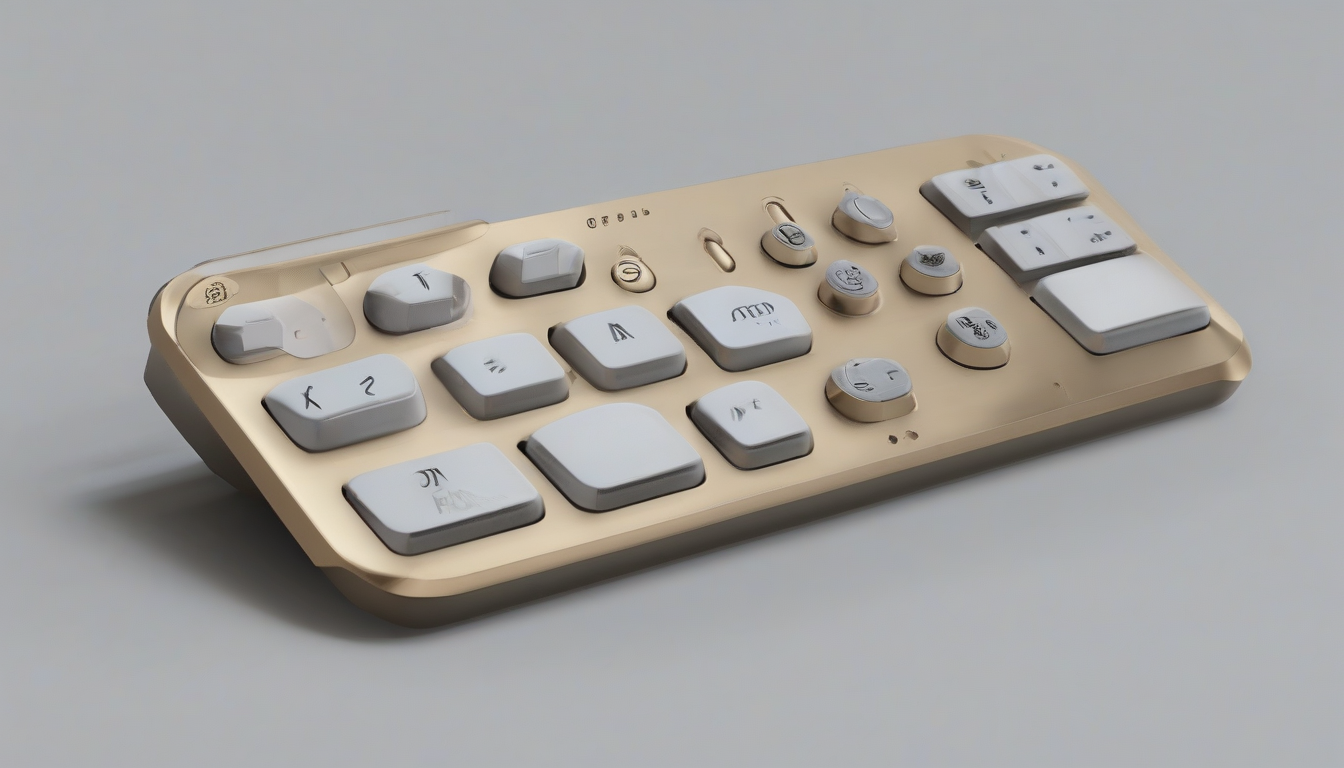
OpenAI, the giant behind the seismic shifts in our technological landscape, has officially entered the physical world. Their first product, dubbed "Micro," is a compact, artisanal keypad designed to pair directly with ChatGPT and Codex. Developed in collaboration with specialty keyboard designer Work Louder, this device is a curious little object—a bold attempt to bridge the gap between abstract AI agents and the tangible interfaces that coders and tech enthusiasts live in every day. But is this the future, or just an expensive, novelty distraction?
AI Consumer Hardware: A New Frontier for Agentic Input
The rise of ai consumer hardware has been nothing short of fascinating. While everyone has been fixated on the latest LLM models—from GPT-5 to Claude—OpenAI decided that the real battleground for productivity might be sitting right on your desk. The Micro keypad feels like an attempt to capture that magic.
At first touch, it’s remarkably sturdy. You could easily use it as a paperweight if the whole "AI assistant" thing doesn't quite pan out. The packaging is undeniably slick, with a clean, white aesthetic that feels immediately familiar to anyone who's unboxed gear from big players like Google or even Apple. I’ve seen this before, and it’s a design language that screams "premium," regardless of the price.
But what actually matters is what's under the hood—or rather, on the surface. The design features six frosted "agent" keys, which are highly customizable. You can train them to handle specific tasks within ChatGPT or the agentic coding tool, Codex. Below those, there are six command keys to manage the flow. They even packed in a button for voice dictation, which allows you to throw a request at your computer, tap a button, and just... wait for the agent to work.
Bridging the Gap: How We Actually Use Tools?
When you’re a power user or a DeepLearning.AI expert, you want shortcuts. You want to move fast. There are already hundreds of "productivity" hacks out there—from QuillBot-style writing enhancers to custom Gemini-powered scripts—but Micro is trying to make that friction disappear into a physical button.
The configuration happens right inside ChatGPT, where a dedicated Micro tab lets you customize everything from lighting brightness to the specific project scripts tethered to each key.
However, there’s an immediate learning curve. It’s not just "plug and play." The keypad utilizes a specific color-coding mechanism:
- White means an agent is idly waiting.
- Blue means it’s actively processing or "thinking."
- Green signals the task is complete (which, let’s be honest, is the most satisfying one).
- Red, unfortunately, indicates an error.
You have to memorize the colors and, more importantly, remember which project is mapped to which key. It’s a lot to process for a tool that’s supposed to make you more efficient, not less.
A Harsher Critique from the Coding Community
To put it frankly, the reaction hasn't been glowing. Hard-core coders—the people this tool was allegedly built for—are, for the most part, not having it.
I’ve seen prominent discussions in various developer forums and Reddit communities where the device is frequently dismissed as a "prank" or an exorbitantly priced gimmick. Some users have pointed out that for $230, you could instead invest in off-the-shelf programmable decks or build something far more flexible on your own. A harsh review from an independent outlet even explicitly questioned the justification for the price tag, suggesting it felt engineered to frustrate rather than facilitate.
Is this skepticism warranted? Absolutely. When you're used to Free tools that allow you to rapidly Start a project without needing an extra, $230 piece of hardware, a niche keypad starts looking more and more like a novelty item. It also arrives at a strange time, right in the middle of a massive legal tussle between OpenAI and Apple—a conflict that looms like a dark cloud over everything the startup does.
The Verdict: Just Fun, or Truly Transformative?
If you don't live in ChatGPT, this is almost certainly not for you.
I’m not a power user on a daily basis, and I confess—the gadget barely made a dent in my workflow. My mouse and standard keyboard still do 99% of the heavy lifting. I found myself asking the same question again and again: Why would I take a week to learn how to operate this thing when I already have a machine that works perfectly well?
Yet, there is a certain charm to it. If you are a ChatGPT power user who loves physical, clicky hardware, and you happen to have $230 to burn... look, it’s not the absolute worst purchase you could make. It’s a beautifully made object, and once you get past the initial setup frustration, mapping various projects to different keys can be genuinely fun.
Maybe that’s the point. It’s not meant to replace your mouse; it’s meant to be a sensory, haptic way to engage with the AI agents that are increasingly becoming a part of our daily work. Just don't expect it to replace your core toolkit, or for it to act as an infallible Checker for every single task you throw at it. For now, it’s a luxury: an expensive, divisive, and remarkably well-built toy for the true AI devotee. Whether that warrants the price tag is something only you can decide.